
As an Amazon Associate, we earn from qualifying purchases. This post contains affiliate links – if you buy through them, we may earn a commission at no extra cost to you.
There isn’t one single best pick for motion capture for Blender because every buyer moves differently. What decides it’s whether you’re tracking a whole body or just a face, and what cameras you already own. These products don’t rank above each other; they do completely different jobs. Some are suits that hold markers, while others are the cameras that read them. If you need full-body movement, look at the Rokoko Motion Capture Suit. If you only need facial animation, the Rokoko Headrig splits most buyers right there.
1. Rokoko Motion Capture Suit

Best for: Someone who needs full-body tracking with optical cameras.
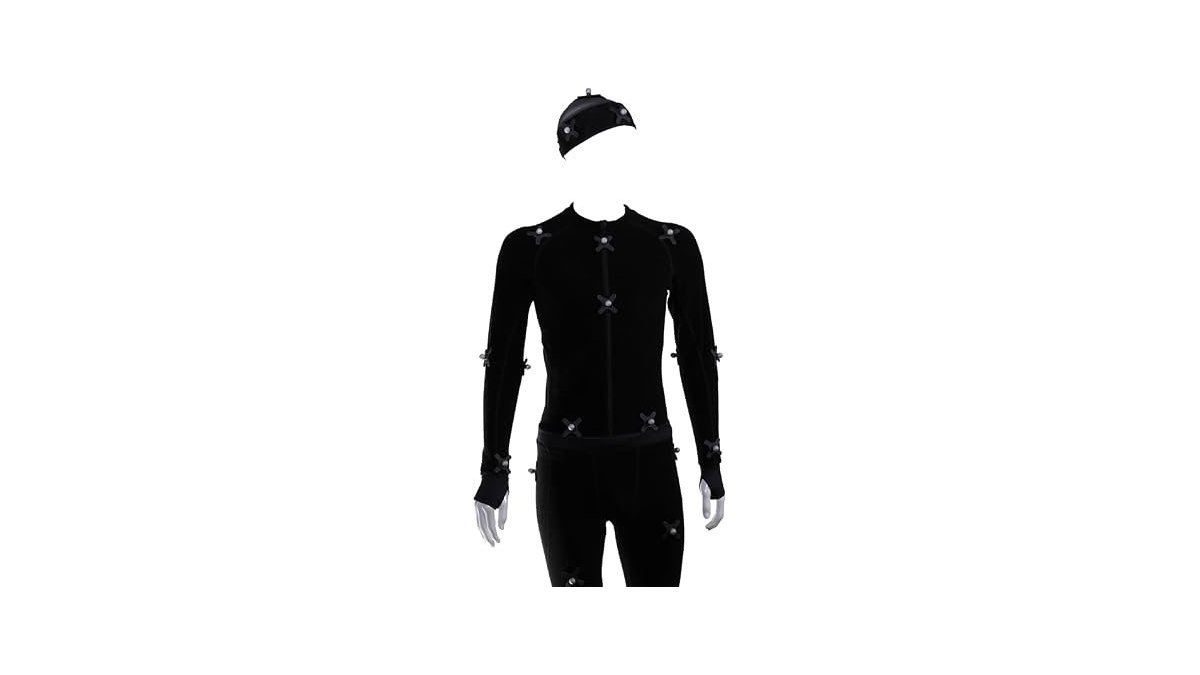
This suit gives you 60 hook-and-loop reflective marker balls for optical workflows. It includes a bodysuit, head cover, fingerless gloves, and shoe covers. The fabric is 85% nylon and 15% spandex, so it stretches when you move. Breathable mesh panels sit under the arms to keep you cooler during long sessions.
Good if:
- You animate full characters in Blender every week.
- You already own optical cameras that read reflective markers.
- You want to adjust marker placement for different scenes.
Skip it if:
- You don’t have space to set up multiple cameras around a room.
- You only need to capture hand or face movements.
2. ICM 20948 Low Power 9-Axis MEMS Motion Capture Tracking Device

Best for: A builder making their own inertial tracking hardware.
This is a low-power 9-axis MEMS wearable sensor module. That means you don’t need a clear room with lighting to record.
However, this is just the raw component, not a finished consumer product. You’ll need to wire it, program it, and build your own pipeline to get data into Blender.
Good if:
- You know how to solder and code microcontrollers.
- You want to build a custom tracking rig from scratch.
- You need to capture motion outdoors away from cameras.
Skip it if:
- You expect a plug-and-play device ready for Blender today.
- You don’t have engineering experience with sensor modules.
3. 200fps Global Shutter USB3.0 Camera

Best for: Someone building a multi-camera optical tracking volume.
This IFWATER camera uses an AR0234 global shutter sensor running at 1920×1200 resolution. It hits 120fps at full resolution and 200fps at lower settings. The 75° HFOV lens has no distortion, which keeps tracking math accurate across the frame. It connects via USB 3.0 and works on Windows, Mac, and Linux without drivers.
Good if:
- You’re setting up a dedicated motion capture room.
- You need high-speed frames to track fast actions like jumps.
- You use UVC-compatible software to process the video feed.
Skip it if:
- You only have one USB port free for tracking.
- You prefer inertial suits that don’t require external cameras.
4. 120fps High Speed Global Shutter USB Camera

Best for: A compact, high-speed monochrome tracking setup.
This IFWATER camera uses an OV9281 sensor to deliver 120fps at 1280×800. It also supports 210fps at 480P and up to 640fps at 240P. The monochrome design improves contrast and detail capture in low-light environments. It uses USB 2.0 plug-and-play and runs stably from -10°C to 70°C.
Good if:
- You track reflective markers in dim or controlled lighting.
- You need ultra-high frame rates for very fast movements.
- You run Raspberry Pi or Linux-based capture systems.
Skip it if:
- You need color video for anything else.
- You rely on USB 3.0 bandwidth for higher resolutions.
5. Active Puck Tracker
Best for: An OptiTrack user replacing or adding active markers.
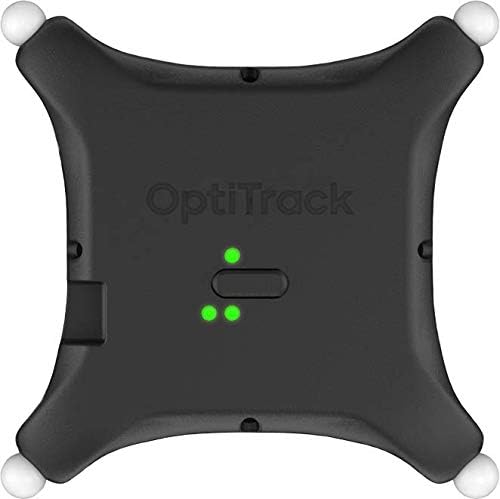
This is an active puck made by OPTITRACK for motion capture tracking VR.
You must ensure it matches your existing OptiTrack ecosystem. It’s a specialized accessory, not a standalone system you just plug into Blender.
Good if:
- You already run OptiTrack cameras in your studio.
- You struggle with passive markers crossing paths during complex moves.
- You need reliable identification for specific body joints.
Skip it if:
- You don’t own OptiTrack hardware to receive the signal.
- You’re looking for a complete beginner mocap solution.
6. Soonpho M6 Auto Face Tracking Motorized Rotating Panoramic Tripod Head

Best for: Solo creators needing automated face tracking for reference video.
This soonpho motorized tripod head offers auto face and human body recognition. It rotates 360° horizontally and tilts ±25° without needing Bluetooth or an app. You control it with hand gestures—an “OK” sign starts tracking, and a palm stops it. The built-in battery lasts 8-10 hours and charges via Type-C.
Good if:
- You film yourself alone and need the camera to follow you.
- You use video-to-animation pipelines inside Blender.
- You want gesture controls instead of fiddling with apps.
Skip it if:
- You need real-time 3D bone rotation data.
- You shoot heavy DSLR setups beyond its intended weight limit.
7. Mocap Suit Classic
Best for: Another option for optical marker-based full-body capture.
This Generic suit shares the exact same features as the first pick. It includes 60 X-base hook-and-loop reflective marker balls. You get the bodysuit, head cover, fingerless gloves, and shoe covers. The 85% nylon and 15% spandex blend allows freedom of movement.
Good if:
- You need a second suit for another actor in the same volume.
- You use optical workflows for virtual production.
- You want adjustable marker placement via hook-and-loop bases.
Skip it if:
- You don’t have optical cameras to read the markers.
- You only want to track facial expressions.
8. Rokoko Headrig

Best for: Animators focusing purely on detailed facial performances.
The Rokoko Headrig is designed for an easy, fast, and comfortable fit. It’s padded on all sides to prevent pressure points during long recording sessions. You adjust the fit using intuitive tightening mechanisms. This keeps the rig stable while you perform exaggerated facial expressions.
If it shifts, the data drifts and ruins the animation. The padding and tightening here solve that specific problem. It’s not for someone who needs full-body tracking, as this handles faces only.
Good if:
- Your Blender projects rely heavily on dialogue and emotion.
- You record long voice-acting sessions that double as mocap.
- You hate rigs that dig into your skin after ten minutes.
Skip it if:
- You need arm and leg movement captured simultaneously.
- You prefer markerless webcam-based face tracking.
9. SVPRO 1200P 120fps Global Shutter USB 3.0 Camera Module
Best for: Builders embedding cameras into custom mocap rigs.
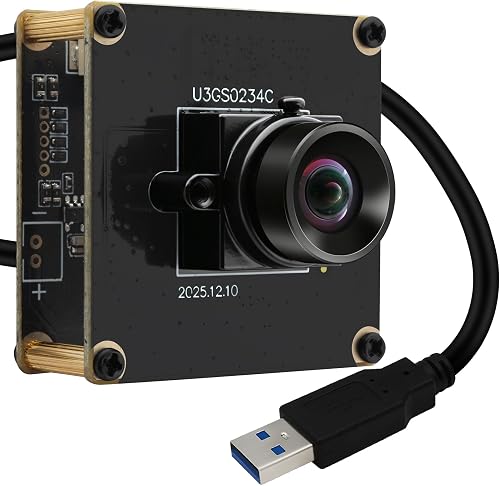
This SVPRO module uses the AR0234 global shutter sensor, matching the 200fps performance at 1280×720. It delivers 120fps at 1920×1200 over USB 3.0. The board measures just 38x38mm, making it perfect for DIY embedded vision systems. It includes an anti-pull locking mechanism at the USB interface to prevent accidental disconnection.
That small size means you can mount it inside custom housings or tight spaces where normal webcams won’t fit. The locking connector ensures your data stream doesn’t drop mid-take if a cable gets snagged. However, it’s a bare board, so you’ll need to handle your own mounting and protection. It’s not for users who want a finished desktop camera in a plastic shell.
Good if:
- You build custom multi-camera arrays for Blender mocap.
- You need secure connections that won’t pull out during action.
- You integrate cameras into robotics or 3D scanning setups.
Skip it if:
- You want a ready-to-use webcam with a built-in stand.
- You aren’t comfortable working with exposed circuit boards.
10. Global Shutter USB3.0 Camera

Best for: Industrial-grade tracking requiring adjustable focal lengths.
This IFWATER camera uses an OG05B10 sensor for 60fps at a massive 2592×1944 resolution. It features a 5-50mm 10X manual varifocal lens, letting you dial in wide angles or tight close-ups. The housing is solid metal, built for long-term industrial use. Three sides feature universal mounting screw holes plus corner metric holes for flexible rigging.
The ability to change focal length manually means you can tune the field of view without swapping lenses. Global shutter technology captures all pixels simultaneously, which is why it eliminates the skew that ruins fast motion data. The trade-off is that this sensor demands ample ambient light to perform well. It’s not for someone shooting in a dark bedroom without professional lighting gear.
Good if:
- You need extreme resolution for precise marker tracking.
- You mount cameras on heavy-duty industrial brackets.
- You want manual control over zoom and iris aperture.
Skip it if:
- Your capture space has very dim lighting.
- You only need basic 1080p resolution for simple animations.
Where These Overlap
The Rokoko Motion Capture Suit and the Mocap Suit Classic list identical specs. The IFWATER high-speed model and SVPRO 1200P cameras both use the AR0234 sensor. The three IFWATER cameras all offer global shutters but target different needs. One pushes frame rate with a monochrome sensor, another balances speed and resolution, and the last prioritizes a 5MP sensor with a varifocal lens inside a metal housing.
Still Not Sure?
Do I have space for cameras?
Optical tracking requires multiple cameras placed around a clear room. In that case, you should avoid optical suits entirely. For small rooms, the Rokoko Headrig works best since it only tracks your face.
Am I capturing bodies or faces?
Blender animations fail when you try to use a body suit for subtle lip-syncing. If your characters talk a lot, prioritize the Rokoko Headrig for accurate facial data.
Do I already own the right cameras?
A reflective marker suit does absolutely nothing without cameras that can see those markers.
If you animate full characters daily and have room for cameras, the Rokoko Motion Capture Suit fits that workflow. If you only care about facial acting in a small space, grab the Rokoko Headrig instead. Pick the tool that matches your actual room and your specific Blender project, then check the listings to confirm compatibility.
Frequently Asked Questions
Can I use a regular webcam for cheap motion capture for blender?
Standard webcams use rolling shutters, which create motion blur during fast movements. Optical tracking software struggles to read blurred markers accurately. Cameras listed here, like the 200fps Global Shutter Camera, capture all pixels simultaneously to fix this. You need a global shutter sensor for reliable optical mocap data.
Does the motion capture suit send data directly to Blender?
No, the Rokoko Motion Capture Suit is just fabric with reflective markers attached. It requires external optical cameras to see those markers and software to translate the video into 3D data. The suit itself has no electronics or wireless transmitters. You must provide the cameras and processing pipeline separately.
Which camera is best for low-light mocap rooms?
The 120fps Global Shutter Camera uses a monochrome CMOS sensor designed for enhanced light sensitivity. However, the 5MP Global Shutter USB3 specifically notes it demands ample ambient light. Choose the monochrome model if your lighting setup is limited.
Will the Rokoko Headrig fit over glasses?
The listing states the Rokoko Headrig is padded on all sides with intuitive tightening mechanisms. This adjustable design accommodates different head shapes comfortably. You’ll need to test the fit carefully if you wear large glasses during recording.
Conclusion
Other options worth considering include the Global Shutter USB Camera for ultra-high 640fps monochrome speeds, the MMlove Monochrome USB Camera pairing 420fps with a 5-50mm CS zoom lens, and the Zu3D Kit Kids USB Camera which bundles a green screen and software for stop-motion beginners.