
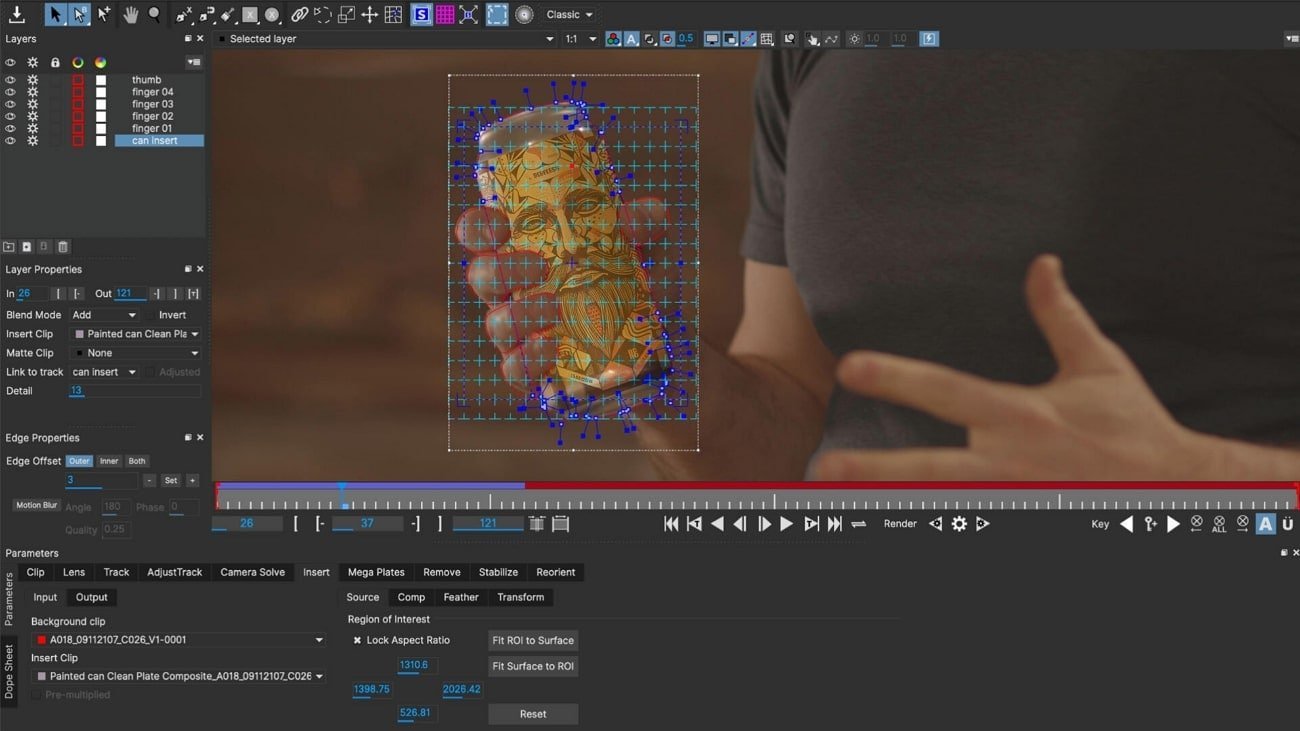
Finding the best motion tracker for C4D depends entirely on your specific workflow. Whether you need full-body capture for character animation or precise camera movement for virtual production, the right tool hinges on your space, budget, and technical comfort. Some creators prioritize the freedom of wireless, sensor-based systems, while others need the reliability of optical tracking for studio environments. To help you choose, we’ve split the top performers into two categories: those designed for human character animation and those built for camera and object stabilization.
As an Amazon Associate, we earn from qualifying purchases. This post contains affiliate links – if you buy through them, we may earn a commission at no extra cost to you.
1. Sony mocopi 3D Mobile Motion Capture

Best for: Creators who need quick, mobile full-body capture without studio space.
The Sony Mocopi system is designed for users who want to record motion data on the go. Its main advantage is the lack of base stations, meaning you don’t need a dedicated studio or a large room to start recording. You simply strap the lightweight sensors to your body, calibrate by stepping forward, and capture begins immediately.
This system is perfect for solo creators who need to integrate motion data into their projects without the hassle of a complex suit. However, it isn’t for users who require sub-millimeter precision for high-end professional film work, as its tracking relies on IMU sensors rather than external optical cameras.
Good if:
- You work in small, unconventional spaces.
- You need a portable solution for outdoor 3D content.
- You prefer a wireless, untethered setup.
Skip it if:
- You require professional-grade optical accuracy.
- You aren’t using a compatible smartphone model.
2. HTC VIVE Tracker 3.0

Best for: Established VR studios needing reliable full-body motion capture.
The HTC VIVE Tracker 3.0 is a staple for those already invested in the SteamVR ecosystem. By using base stations, it provides high-fidelity tracking that’s well-suited for character animation in C4D. It’s significantly lighter than older versions, which helps with comfort during long sessions, and the battery life supports up to 7.5 hours of use.
This tracker is a professional choice for users who already own or plan to buy SteamVR base stations. It isn’t for someone looking for a “plug-and-play” mobile solution, as it requires a specific PC setup and external hardware to function correctly.
Good if:
- You already own SteamVR base stations.
- You need high-precision tracking for complex animation.
- You want to track real-world objects alongside your body.
Skip it if:
- You don’t have space for base stations.
- You want a simple, portable system without PC hardware.
3. HTC VIVE Ultimate Tracker

Best for: Standalone VR users who want advanced, base-station-free tracking.
The VIVE Ultimate Tracker uses AI-powered self-tracking, meaning you don’t need base stations to get accurate results. It uses two wide-FOV cameras and computer vision to map your space, making it a great choice for those who move between different locations. It’s compatible with several standalone headsets and can be used for full-body tracking by pairing up to five units.
While this tracker offers great freedom, it’s specifically designed for users of VIVE standalone devices. It isn’t for users who are strictly restricted to older PC-only VR setups without the required wireless dongle compatibility.
Good if:
- You use a VIVE Focus Vision or XR Elite.
- You want to avoid setting up base stations.
- You need a quick-release mechanism for fast attachment.
Skip it if:
- You don’t own a compatible VIVE standalone headset.
- You have a very limited budget for hardware accessories.
4. SlimeVR Full Body Tracking Kit with LSM6DSR Sensors

Best for: Open-source enthusiasts who want a custom, wearable tracking system.
The SlimeVR Tracking Kit is built for users who prefer an open-source approach to motion capture. It uses IMU sensors to track movement, which means no cameras or base stations are required. The trackers are compact and designed to be worn under clothing, making them discreet for social VR or animation work.
This kit is excellent for those who want to build their own tracking ecosystem. It isn’t for users who are intimidated by calibration or who require the absolute highest level of stability that optical systems provide, as IMU-based systems can experience drift.
Good if:
- You prefer open-source software solutions.
- You want to wear trackers discreetly under clothing.
- You need a complete, all-in-one package out of the box.
Skip it if:
- You’re uncomfortable with manual calibration.
- You need perfect, zero-drift tracking for long-duration takes.
5. TrackIR 5 Head Tracking System with TrackClip PRO – 6DOF

Best for: Sim-racing and flight enthusiasts needing precise head tracking.
The TrackIR 5 system is the industry standard for head movement capture in simulation software. It tracks yaw, pitch, and roll, allowing you to control the camera inside your virtual environment simply by moving your head. The included TrackClip PRO attaches to headsets or visors, ensuring the infrared signal stays accurate even in low-light conditions.
This system is highly specialized. It isn’t for users looking for full-body motion capture, as it’s strictly designed for 6DOF (six degrees of freedom) head control.
Good if:
- You use flight or racing simulators.
- You need low-latency camera control.
- You want a plug-and-play profile system.
Skip it if:
- You need to capture body or limb movement.
- You require full-body character animation.
6. OBSBOT Tiny 2 Lite 4K Webcam
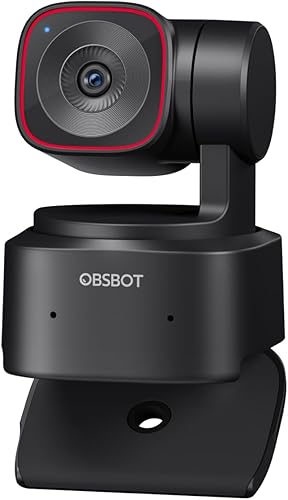
Best for: Streamers who want AI-driven auto-framing and tracking.
The OBSBOT Tiny 2 Lite is a powerful 4K webcam that uses AI to keep you in the frame. It offers upper-body and hand tracking, which is useful for content creators who move around their desks. The gesture control allows you to lock onto a target or zoom without touching the camera.
This is a great tool for presenters, but it isn’t a motion tracker for 3D animation. It’s for those who need a smart camera to follow their physical presence during a live broadcast.
Good if:
- You stream or record educational content.
- You want hands-free gesture control.
- You need 4K resolution for professional broadcasts.
Skip it if:
- You need to animate a 3D character.
- You require full-body skeletal tracking.
7. OBSBOT Tail 2 PTZR NDI Camera 4K@60FPS

Best for: Professional production teams needing high-end PTZ tracking.
The OBSBOT Tail 2 is a professional-grade PTZR (Pan, Tilt, Zoom, Rotate) camera. It features a large sensor and AI Tracking 2.0, which can lock onto subjects at extended distances. With multiple output interfaces like NDI and SDI, it integrates easily into high-end production environments.
This camera is for serious content producers. It isn’t for hobbyists looking for a simple webcam, as its professional protocols and gimbal structure require more advanced knowledge to set up properly.
Good if:
- You need professional NDI and SDI connectivity.
- You’re filming multi-person scenarios.
- You need cinematic 4K at 60FPS.
Skip it if:
- You’re a casual user with simple needs.
- You don’t have hardware to support professional video protocols.
8. Hohem iSteady MT3 Pro 3-Axis Gimbal Stabilizer
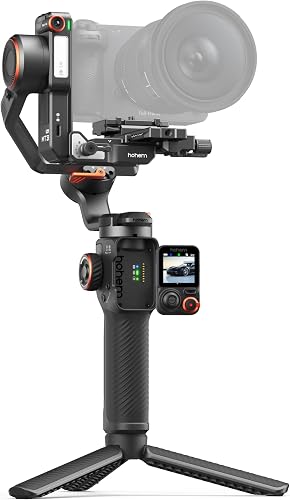
Best for: Filmmakers using mirrorless cameras who need gimbal stabilization.
The Hohem iSteady MT3 Pro is a 3-axis gimbal that stabilizes your camera while providing AI-based subject tracking. The detachable touchscreen makes it easy to adjust settings on the fly, and the 20-hour battery life is perfect for long shooting days. It handles a wide range of cameras, from small action cams to full-frame mirrorless models.
This is a versatile tool, but it isn’t an animation tracker. It’s designed to keep your physical camera footage smooth and centered on a subject.
Good if:
- You use mirrorless or DSLR cameras.
- You need long battery life for all-day shoots.
- You want built-in AI subject tracking.
Skip it if:
- You need to capture motion data for 3D software.
- You’re only using a smartphone for video.
9. Insta360 Flow 2 Pro Gimbal Stabilizer
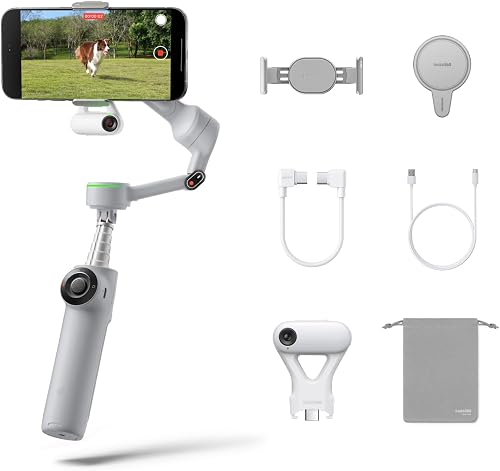
Best for: Smartphone creators who want professional-grade AI tracking.
The Insta360 Flow 2 Pro is a compact phone gimbal that stabilizes footage across every necessary plane of motion. It tracks subjects with high precision and includes features like active zoom tracking, which is great for sports or concerts. The built-in selfie stick and tripod make it an all-in-one solution for vloggers who need stable, intelligent footage.
This gimbal is excellent for mobile creators. It isn’t for users with professional cinema cameras, as its payload is limited to smartphones.
Good if:
- You film primarily with a smartphone.
- You need a portable, all-in-one setup.
- You want AI tracking that works in third-party apps.
Skip it if:
- You use professional mirrorless or cinema cameras.
- You need full-body capture for 3D animation.
10. IFOOTAGE Shark Nano II Motorized Camera Slider 34″/86cm

Best for: Precise, motorized camera slides for cinematic product shots.
The IFOOTAGE Shark Nano II is a motorized slider that offers incredible precision for cinematic motion. You can set up to 8 motion points to create complex paths, which is perfect for product shots or time-lapses. Its AI-powered target tracking keeps your subject centered, and the brushless motor is extremely quiet, making it ideal for video production.
This is a tool for camera movement, not character animation. It isn’t for users who don’t have the space or need for a physical slider setup.
Good if:
- You need precise, multi-axis camera movement.
- You’re capturing product details or interviews.
- You want whisper-quiet motorized operation.
Skip it if:
- You need to animate a character in C4D.
- You’re restricted by a tight, stationary workspace.
How We Picked the Best C4D Motion Trackers
Many of these products serve distinct roles in a production pipeline. The HTC VIVE Tracker 3.0 and SlimeVR systems are for capturing human motion for 3D animation, while the gimbals and sliders like the Hohem iSteady MT3 Pro and IFOOTAGE Shark Nano II are for stabilizing and moving physical cameras. The Sony Mocopi sits in the middle, offering a bridge for character animation without the need for a studio. If you’re a 3D artist, choose between the VIVE ecosystem for professional accuracy or the SlimeVR/Mocopi systems for convenience. For camera operators, the choice depends on whether you’re using a phone or a mirrorless camera.
Still Not Sure?
How often will I really use it?
If you’re a professional animator, you need a system that survives daily use, like the HTC VIVE Tracker 3.0. The Sony Mocopi is a suitable choice for creators who want to record motion data on the go without base stations.
What do I already own that this has to work with?
Your current hardware is the biggest deciding factor. If you already have SteamVR base stations, you should look at the HTC VIVE Tracker 3.0. If you’re a VIVE standalone user, the HTC VIVE Ultimate Tracker is the best fit. Always check the manufacturer’s compatibility list before buying to ensure your headset supports the tracker.
What am I most likely to regret choosing?
You’ll regret buying a system that doesn’t fit your space. If you don’t have a large room, avoid base-station-heavy setups like the VIVE Tracker 3.0 and go for a sensor-based or camera-based solution like the SlimeVR Tracking Kit or the Sony Mocopi to avoid frustration.
Whether you choose the Sony Mocopi for its ease of use or the HTC VIVE Tracker 3.0 for its professional precision, the key is matching the tech to your studio space. For character animation, start with Sony Mocopi if you’re a beginner, or HTC VIVE Tracker 3.0 if you’re a studio professional. Visit the product links above to check current availability.
Related guides
Frequently Asked Questions
Do I need a professional studio to use motion trackers for C4D?
No, not all systems require a studio. Systems like the Sony Mocopi and SlimeVR are designed for small rooms and don’t require base stations. However, professional optical systems like the HTC VIVE Tracker 3.0 work best in a clear, dedicated space to maintain consistent tracking accuracy without interference.
Can I use these motion trackers with my existing 3D software?
However, you should check if the tracker provides a plugin or SDK for direct integration. The Sony Mocopi and VIVE systems have robust support for major 3D software workflows via their respective apps.
Is it difficult to set up full-body tracking for the first time?
Setup difficulty varies between the two primary types of motion tracking technology. IMU-based trackers like those from SlimeVR or Sony Mocopi are generally easier to set up, requiring only straps and app calibration. Optical systems like the HTC VIVE Tracker 3.0 require more time for base station placement and software configuration to ensure the tracking volume is correctly defined.
Can I combine different tracking systems for better results?
Mixing systems is rarely recommended. Most trackers are designed to work within their own ecosystem to ensure data synchronization and low latency. Using different brands together can lead to tracking conflicts, synchronization issues, or data drift, which makes it much harder to achieve clean motion capture data for your C4D projects.
Conclusion
Choosing the right gear is just the start of your creative journey. Once you’ve picked your setup, spend a weekend testing it with a simple scene to see how it handles your unique lighting. You’ll be surprised at how much smoother your workflow feels when you’re finally comfortable with your tools.